
One inbox for your team
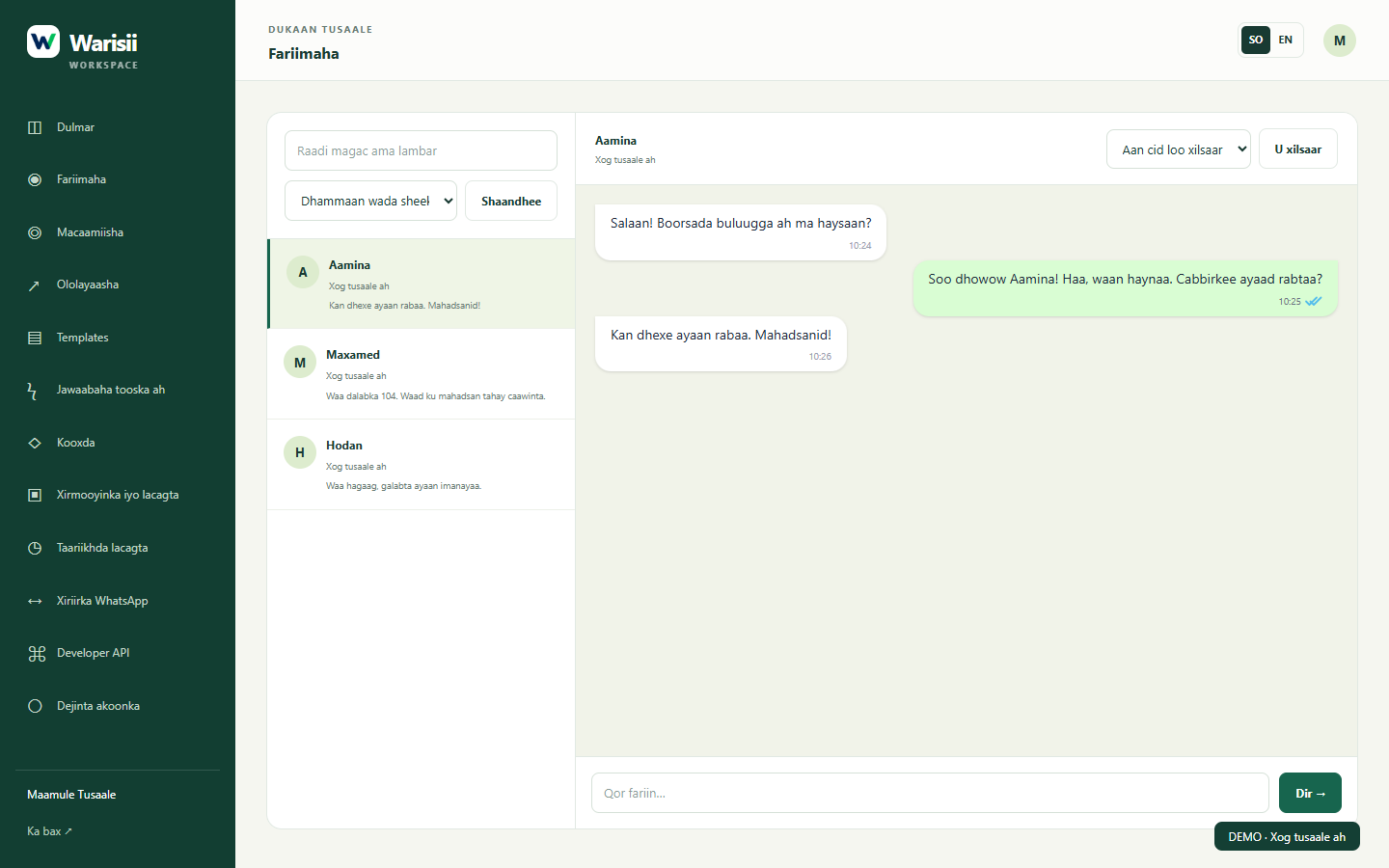
Read customer messages and reply from a shared workspace, with owner, manager and agent roles.
Learn moreWHATSAPP CRM · BUILT BY SAANTECH
Turn scattered WhatsApp conversations into organised customer service. Connect your business, reply from one inbox and manage campaigns with Warisii.
A shared inbox. Your contacts. A clearer working day.
Choose a conversation to see an example. This preview does not send messages.
LESS SWITCHING. MORE CONVERSATION.
Give your team the tools to stay organised, from the first question to the next campaign.
Read customer messages and reply from a shared workspace, with owner, manager and agent roles.
Learn moreKeep customer contacts and conversation history together so your team can pick up the conversation.
Learn moreConnect a WhatsApp Business account, submit message templates and track their approval status.
Learn moreRegister your business and verify your WhatsApp number with a one-time code.
Use the WhatsApp connection settings to connect your business account through Meta. Eligibility and approval depend on Meta.
Bring in your contacts, prepare approved templates and let your team reply from the inbox.
BUILT AROUND YOUR WORK
Answer product questions and use approved templates for order updates.
Keep enquiries and follow-up conversations in the same place.
Give authorised staff access to customer conversations without sharing an owner’s login.
ROOM TO GROW
Prices are in USD. Each card shows the subscription price and the total including 5% tax.
Pay for 10 months, get 12 months · Annual payment covers one year. Monthly messaging allowances stay the same.
For a small team getting organised.
$15.75 including 5% tax
Annual: $100.00 / year · $105.00 including 5% tax
Get startedFor a growing customer service team.
$47.25 including 5% tax
Annual: $190.00 / year · $199.50 including 5% tax
Get startedFor a business with broader needs.
$99.75 including 5% tax
Annual: $490.00 / year · $514.50 including 5% tax
Get startedWhatsApp messaging charges from Meta are separate from the Warisii subscription. Plan message allowances are usage limits, not prepaid Meta message credits. Meta policies and messaging limits still apply. See Meta’s messaging prices ↗
Seats include the owner and all team accounts. On downgrade, the owner and earliest seats remain available; extra accounts and records are retained. Incoming conversations are preserved when contact capacity is full. Inbox-only contacts cannot receive campaigns or API templates until promoted within your allowance. Template sends reset each calendar month (server timezone). API and campaigns share one allowance. Reserved and failed attempts count once; retries do not count again.
This depends on your number’s current setup and the connection options available through Meta. Contact us before changing or disconnecting an existing account.
A Warisii account, access to your Meta business account and an eligible WhatsApp Business phone number. The setup screens guide you through the connection.
No. Your Warisii subscription covers access to the CRM within the plan limits. Meta messaging charges are separate. Subscription checkout adds 5% tax.
Yes. Owners can manage team access. The number of users depends on the plan, and permissions depend on each user’s role.
Contact info@saantech.so for help with your subscription or account closure. Data deletion instructions are available in the Privacy Policy.
SAANTECH × WARISII
Warisii is developed by Saantech. Explore the product, review our policies and speak to us about your business before getting started.
About ↗WARISII CRM
See how Warisii fits your team’s day. Start with an account or ask us for a walkthrough.
Chat with us on WhatsApp ↗